The Best Antidetect Browsers for 2025: Ultimate Guide
Managing multiple online accounts safely requires more than just proxies - you need antidetect browsers to prevent platforms from linking your accounts through browser fingerprinting. Whether you’re managing social media, e-commerce stores, or advertising accounts, choosing the right antidetect browser is critical.
We’ve tested and compared 10 leading antidetect browsers to help you make an informed decision. This comprehensive guide covers features, pricing, effectiveness, and use cases.
🗂️ Quick Navigation
Top Antidetect Browsers:
- Multilogin - Industry leader (50% off with code SAAS50)
- GeeLark - Mobile-focused solution (20% off with code SAASVERDICT)
- GoLogin - Budget-friendly (50% off with code SAASVERDICT)
- AdsPower - No-code automation
- Kameleo - Unlimited profiles
- View all 10 browsers
Essential Information:
📊 Interactive Browser Comparison Tool
🔍 Compare Antidetect Browsers Side-by-Side
| Browser | Free Plan | Starting Price | Profiles | Mobile | Automation | Team Features | Rating |
|---|---|---|---|---|---|---|---|
| 🥇 Multilogin | ❌ | €99/mo | 100 | ❌ | ✅ | ✅ | ⭐⭐⭐⭐⭐ |
| 🥈 GoLogin | ✅ 3 profiles | $49/mo | 100 | ✅ | ✅ | ✅ | ⭐⭐⭐⭐⭐ |
| 🥉 GeeLark | ✅ 2 profiles | $5/mo | 5 | ✅✅ | ✅ | ✅ | ⭐⭐⭐⭐⭐ |
| AdsPower | ✅ 5 profiles | $5.40/mo | 10 | ❌ | ✅✅ | ✅ | ⭐⭐⭐⭐⭐ |
| Incogniton | ✅ 10 profiles | $29.99/mo | 50 | ❌ | ⚠️ | ✅ | ⭐⭐⭐⭐⭐ |
| ADBLogin | ✅ Unlimited | FREE Forever | Unlimited | ❌ | ✅ | ✅ | ⭐⭐⭐⭐⭐ |
💡 Tip: Click the filter buttons above to show only browsers that match your needs. Compare features, pricing, and capabilities side-by-side.
Quick Comparison Table
| Rank | Browser | Best For | Starting Price | Free Plan | Discount |
|---|---|---|---|---|---|
| 🥇 | Multilogin | Enterprise & serious users | $29/mo (10 profiles) | ❌ | 50% off: SAAS50 |
| 🥈 | GeeLark | Mobile app management | $5/mo (5 profiles) | ✅ 2 profiles | 20% off: SAAS |
| 🥉 | GoLogin | Budget-conscious users | $49/mo (100 profiles) | ✅ 3 profiles | 50% off: SAAS |
| 4 | AdsPower | E-commerce automation | $5.40/mo (10 profiles) | ✅ 5 profiles | - |
| 5 | Kameleo | Unlimited profiles | €59/mo (unlimited) | ✅ Limited | - |
| 6 | Incogniton | Generous free tier | $29.99/mo (50 profiles) | ✅ 10 profiles | - |
| 7 | Octo Browser | Performance-focused | $29/mo (10 profiles) | ❌ | - |
| 8 | Nstbrowser | Web scraping | $299/mo (unlimited) | ✅ 1,000 launches/day | - |
| 9 | MoreLogin | User-friendly | $9/mo (10 profiles) | ✅ 2 profiles | - |
| 10 | ADBLogin | Free forever | FREE (unlimited profiles) | ✅ Unlimited | - |
📚 What Are Antidetect Browsers?
Understanding Browser Fingerprinting
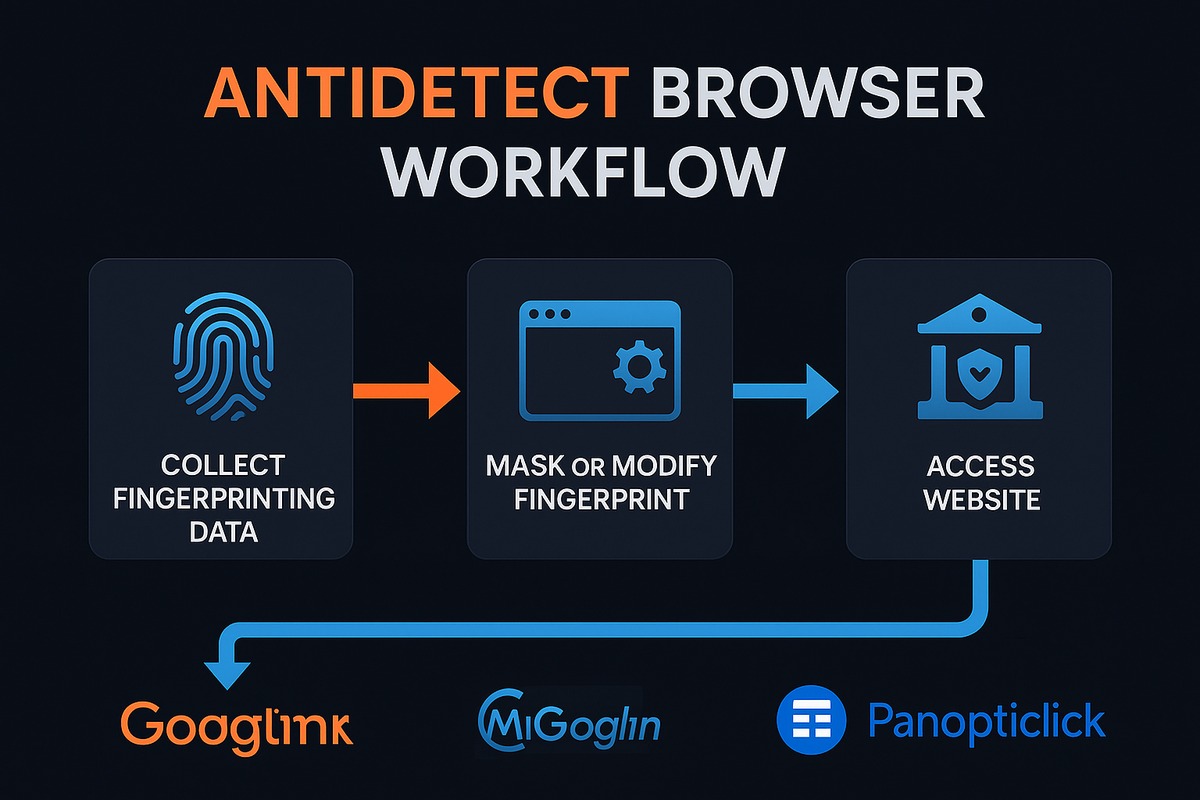
Every time you visit a website, your browser sends a digital fingerprint - a unique combination of data points that can identify you:
Common Fingerprint Elements:
- Browser type and version
- Operating system
- Screen resolution
- Installed fonts
- Canvas fingerprint
- WebGL fingerprint
- Audio context
- Time zone
- Language settings
- Hardware information
- Plugin details
🎯 The Problem: Platforms like Facebook, Amazon, and Google use these fingerprints to detect multiple accounts from the same device - even if you use different proxies or clear cookies.
How Antidetect Browsers Work
Antidetect browsers create separate browsing environments with unique, consistent fingerprints for each profile:
Your Real Device:
├── Profile 1: Windows + Chrome (USA fingerprint)
├── Profile 2: macOS + Safari (UK fingerprint)
└── Profile 3: Android + Firefox (Germany fingerprint)
Each profile appears as a completely different device to websites, preventing account linking.
Key Features
| Feature | Purpose |
|---|---|
| Fingerprint Spoofing | Changes browser parameters to create unique identities |
| Profile Management | Organize multiple accounts with isolated environments |
| Cookie Storage | Maintains login sessions per profile |
| Proxy Integration | Assigns different IPs to each profile |
| Team Collaboration | Share profiles with teammates |
| Automation | Integrate with Selenium/Puppeteer for workflows |

🎯 How to Choose the Right Antidetect Browser
Decision Framework
1. Budget Considerations
Question: How much can you spend?
| Budget | Recommendation |
|---|---|
| Free | GoLogin (3 profiles), AdsPower (5 profiles), Nstbrowser (1,000 launches), ADBLogin (unlimited) |
| < $50/month | GoLogin ($49 for 100 profiles), AdsPower ($5.40 for 10) |
| $50-150/month | Multilogin ($29-159), Kameleo (€59) |
| Enterprise | Multilogin custom plans, Nstbrowser ($299+) |
2. Number of Profiles Needed
Question: How many accounts will you manage?
| Profile Count | Best Value |
|---|---|
| 1-10 | Multilogin ($29), Octo Browser ($29), AdsPower ($5.40) |
| 11-50 | Incogniton ($29.99 for 50), AdsPower ($30 for 50) |
| 51-100 | GoLogin ($49 for 100), AdsPower ($50.40 for 100) |
| 100+ | Kameleo (unlimited for €59), Nstbrowser (unlimited for $299), ADBLogin (free unlimited) |
3. Team Collaboration
Question: Will multiple people use it?
For Teams:
- ✅ Multilogin - Up to 10 team members (higher plans)
- ✅ GoLogin - Team sharing features
- ✅ AdsPower - Team seats available
- ✅ Kameleo - Collaboration features
- ✅ Nstbrowser - 5 team members (free plan)
Cloud Storage:
- Multilogin: ✅ Encrypted cloud
- GoLogin: ✅ Cloud access
- AdsPower: ✅ Cloud sync
- ADBLogin: ✅ Cloud storage
- Most others: Local storage only
4. Automation Requirements
Question: Do you need to automate tasks?
Automation Support:
| Browser | Selenium | Puppeteer | API | RPA/No-Code |
|---|---|---|---|---|
| Multilogin | ✅ | ✅ | ✅ | ❌ |
| GoLogin | ✅ | ✅ | ✅ | ❌ |
| AdsPower | ✅ | ✅ | ✅ | ✅✅ |
| Kameleo | ✅ | ❌ | ✅ | ❌ |
| ADBLogin | ✅ | ✅ | ✅ | ✅ |

Best for Automation:
- AdsPower - RPA recorder (no-code)
- Nstbrowser - Web scraping focus
- Multilogin - Advanced developer tools
5. Platform Requirements
Question: What platforms will you use?
Operating System Support:
| Browser | Windows | macOS | Linux | Android | iOS |
|---|---|---|---|---|---|
| Multilogin | ✅ | ✅ | ✅ | ❌ | ❌ |
| GeeLark | Cloud | Cloud | Cloud | ✅✅ | ❌ |
| GoLogin | ✅ | ✅ | ✅ | ✅ | ❌ |
| AdsPower | ✅ | ✅ | ✅ | ❌ | ❌ |
| ADBLogin | ✅ | ✅ | ✅ | ❌ | ❌ |
Mobile Management?
- GeeLark - Specialized mobile antidetect (TikTok, Instagram)
- Kameleo - Android app available
- GoLogin - Android support
🔬 How to Test Antidetect Browser Effectiveness
What Makes a Good Fingerprint?
A quality antidetect browser fingerprint must be:
- Consistent - No contradictions or leaks
- Different - Doesn’t match your real device
- Non-Unique - Blends in with real users
Testing Methods
Method 1: Canvas Fingerprinting Test
Tool: https://browserleaks.com/canvas
What to Check:
✅ Canvas fingerprint differs from your real browser
✅ Fingerprint remains consistent on reload
✅ No "unique" warnings
✅ Matches claimed OS/browser combination
Red Flags:
- ❌ “Your fingerprint is unique”
- ❌ Fingerprint changes on reload
- ❌ Canvas noise detected by advanced tests
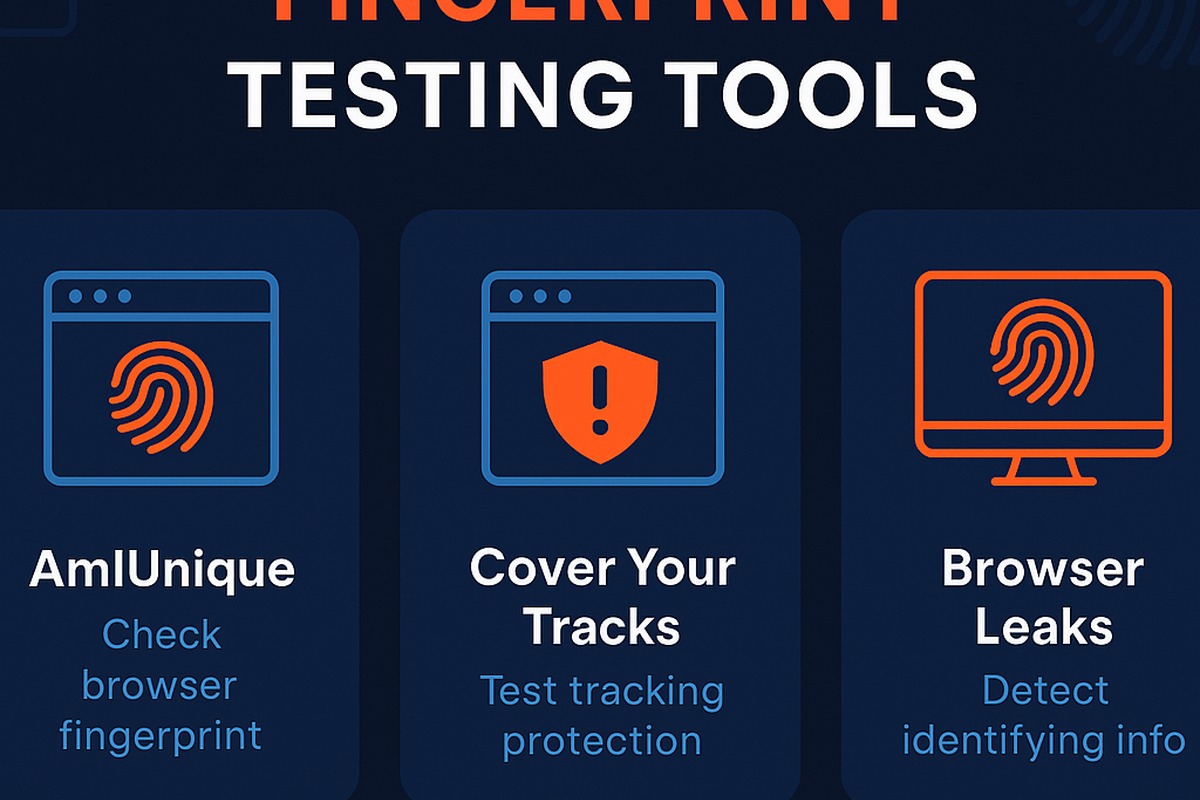
Method 2: Comprehensive Fingerprint Analysis
Tools:
https://pixelscan.net- Comprehensive test suitehttps://abrahamjuliot.github.io/creepjs/- Advanced fingerprintinghttps://coveryourtracks.eff.org- EFF’s tracker test
Test Checklist:
| Parameter | What to Verify |
|---|---|
| User Agent | Matches OS and browser version |
| Canvas | Consistent, non-unique signature |
| WebGL | Proper vendor/renderer spoofing |
| Fonts | Match expected OS font list |
| Audio | Consistent audio context fingerprint |
| Screen | Realistic resolution for device type |
| Timezone | Matches proxy location |
| Plugins | Consistent with browser type |
Method 3: Real-World Platform Testing
Test on Your Target Platforms:
Step 1: Create test profile in antidetect browser
Step 2: Configure proxy matching target region
Step 3: Create new account on target platform
Step 4: Monitor for verification requests or blocks
Step 5: Test for 7-14 days to confirm stability
Success Indicators:
- ✅ Account created without phone verification
- ✅ No unusual CAPTCHA frequency
- ✅ No security warnings or blocks
- ✅ Can perform normal actions without issues
Failure Signs:
- ❌ Immediate verification requests
- ❌ “Suspicious activity” warnings
- ❌ Account restricted or banned
- ❌ Excessive CAPTCHA challenges
Free Trial Testing Strategy
7-Day Testing Plan:
Days 1-2: Initial Setup
- Create 3-5 test profiles
- Configure different fingerprints
- Run automated tests
Days 3-4: Platform Testing
- Create test accounts on target platforms
- Monitor for verification/blocks
- Test core functionality
Days 5-6: Stability Testing
- Verify fingerprints remain consistent
- Test profile switching
- Check team collaboration features (if needed)
Day 7: Decision
- Review test results
- Compare with alternatives
- Purchase or continue testing others
🥇 1. Multilogin: Trusted Market Veteran
Website: https://multilogin.com
Discount: Use code SAAS50 for 50% off
Overview
Multilogin is the industry standard for antidetect browsers, established in 2015 and trusted by Fortune 500 companies and professional marketers worldwide.
Key Features
✅ Dual Browser Architecture
Mimic Browser (Chrome-based):
- Advanced fingerprint spoofing
- Enterprise-grade stability
- Latest Chrome features
Stealthfox (Firefox-based):
- Firefox ESR foundation
- Excellent compatibility
- Unique fingerprinting approach
✅ Complete Fingerprint Replacement
Unlike competitors that disable features, Multilogin replaces them:
| Parameter | Others | Multilogin |
|---|---|---|
| Canvas | Disable or add noise | Complete replacement |
| WebGL | Disable | Full spoofing |
| Audio | Disable | Natural variation |
| Fonts | Limited list | OS-appropriate fonts |
Result: Websites see realistic fingerprints, reducing CAPTCHA and detection risk.
✅ Enterprise Features
Team Collaboration:
- Up to 10 team members (higher plans)
- Encrypted cloud storage
- Role-based permissions
- Profile sharing controls
Developer Tools:
- Selenium integration
- Puppeteer support
- Local API
- Headless automation
- Create thousands of profiles daily
Security:
- AES-256 encryption
- 2FA authentication
- Activity logs
- Secure profile storage
Pricing Plans
| Plan | Price | Profiles | Team Members | Proxy Traffic |
|---|---|---|---|---|
| Solo | €99/mo | 100 | 1 | 1 GB free |
| Team | €199/mo | 300 | 3 | 3 GB free |
| Scale | €399/mo | 1,000 | 7 | 10 GB free |
| Custom | Contact | Custom | Custom | Custom |
Annual Discount: 25% off with yearly billing
Pros & Cons
✅ Advantages
| Advantage | Why It Matters |
|---|---|
| Industry Leading | Most trusted by enterprises |
| Complete Spoofing | Best fingerprint quality |
| Regular Updates | Always current with browser changes |
| Excellent Support | Responsive professional team |
| Proven Track Record | 9+ years in business |
| Developer Friendly | Comprehensive API and automation |
❌ Disadvantages
| Drawback | Impact |
|---|---|
| Expensive | €99/mo minimum (50% off with code) |
| Profile Limits | Entry plan only 100 profiles |
| Learning Curve | Advanced features take time |
| No Free Plan | Must pay to access |
Best For
- ✅ Enterprise teams managing 100+ accounts
- ✅ Serious marketers requiring reliability
- ✅ Agencies serving high-value clients
- ✅ Developers needing automation
- ✅ Users prioritizing quality over price
Not Ideal For
- ❌ Individual users with < 10 accounts
- ❌ Budget-constrained beginners
- ❌ Casual users testing the waters
🥈 2. GeeLark: Antidetect Phone for Mobile Apps
Website: https://www.geelark.com
Discount: Use code SAAS for 20% off
Overview
GeeLark pioneered the cloud-based mobile antidetect solution, running real Android devices in the cloud for managing mobile-first platforms like TikTok, Instagram, and WhatsApp.
Key Innovation: Cloud Phones
Unlike Android Emulators:
| Feature | Android Emulators | GeeLark Cloud Phones |
|---|---|---|
| Detection Risk | ⚠️ High (emulator signatures) | ✅ Low (real devices) |
| Disk Space | 💾 5-10 GB per instance | ☁️ Cloud-based (minimal) |
| Performance | 🐌 Slow on mid-range PCs | ⚡ Fast (cloud hardware) |
| Fingerprinting | ⚠️ Limited | ✅ Full device fingerprint |
| Updates | 🔧 Manual | ✅ Automatic |
Key Features
📱 GeeBrowser (Mobile Antidetect)
Unique Fingerprints Per Profile:
- Device model and manufacturer
- Android version (10, 11, 12, 13)
- Screen resolution
- Build number
- Hardware specs
- Network information
Mobile App Management:
- Install any APK
- Multiple accounts per app
- Session persistence
- Data isolation
🤖 Automation Templates
Pre-built Workflows:
- Account warm-up sequences
- Auto-posting schedules
- Like/comment automation
- Follow/unfollow patterns
- Story viewing
- DM sending
Custom Automation:
- Record custom workflows
- Schedule tasks
- API integration
- Webhook triggers
🌐 Desktop Browser Profiles
Bonus Feature:
- Create traditional browser profiles
- Same subscription
- Cloud phones remain primary
Pricing Plans
| Plan | Price | Cloud Phones | Minutes/Month | Team Members |
|---|---|---|---|---|
| Starter | $5/mo | 5 | 100 | 1 |
| Basic | $15/mo | 10 | 500 | 2 |
| Pro | $35/mo | 20 | 1,500 | 5 |
| Business | Custom | Custom | Custom | Custom |
Free Trial: 2 profiles, 60 minutes, 1 additional seat
Pros & Cons
✅ Advantages
| Advantage | Why It Matters |
|---|---|
| Real Mobile Devices | Undetectable by platforms |
| Cloud-Based | No local resource drain |
| Mobile-First | Perfect for TikTok, Instagram |
| Automation | No-code workflow templates |
| Affordable | Starting at $5/month |
| Flexible Pricing | Pay for what you need |
❌ Disadvantages
| Drawback | Impact |
|---|---|
| Usage-Based | Minutes can run out quickly |
| Limited Desktop | Browser profiles are secondary |
| Android Only | No iOS support |
| Learning Curve | Mobile setup different from desktop |
Best For
- ✅ TikTok marketers managing multiple accounts
- ✅ Instagram growth agencies
- ✅ Mobile app managers (WhatsApp Business, etc.)
- ✅ Social media managers focused on mobile
- ✅ Users needing real mobile fingerprints
Not Ideal For
- ❌ Desktop-only workflows
- ❌ Users needing iOS support
- ❌ Heavy desktop browser usage
🥉 3. GoLogin: Affordable with Free Plan
Website: https://gologin.com
Discount: Use code SAAS for 50% off
Shortlink: https://saasverdict.com/go/gologin
Overview
GoLogin is the budget-friendly alternative to Multilogin, offering excellent value with 100 profiles for $49/month and a generous free plan.
Key Features
🎨 Simple Profile Generation
One-Click Fingerprints:
Click "Create Profile" → GoLogin generates:
├── Realistic OS/browser combination
├── Consistent canvas fingerprint
├── Appropriate fonts for OS
├── WebGL parameters
└── Complete device fingerprint
Manual Control Available:
- Customize 50+ parameters
- Import/export fingerprints
- Clone existing profiles
🆓 Built-in Proxies
Included Proxy Traffic:
- 6 GB datacenter proxies (free)
- 500 MB residential IPs (free)
- 500 MB mobile IPs (free)
Proxy Management:
- Import proxy lists
- Test proxy quality
- Geo-targeting
- Auto-rotation
📱 Android App
Mobile Support:
- Native Android application
- Create mobile profiles
- Sync with desktop
- On-the-go management
☁️ Cloud Browser
Web-Based Access:
- No installation needed
- Access from anywhere
- Chromebook compatible
- Team sharing simplified
Pricing Plans
| Plan | Price | Profiles | Team Seats | Proxy Traffic |
|---|---|---|---|---|
| Free | $0 | 3 | 1 | None |
| Professional | $49/mo | 100 | 1 | 6 GB + 500 MB + 500 MB |
| Business | $99/mo | 300 | 3 | 12 GB + 1 GB + 1 GB |
| Enterprise | $199/mo | 1,000 | 10 | 24 GB + 2 GB + 2 GB |
| Custom | Contact | Custom | Custom | Custom |
Annual Discount: 50% off with code SAASVERDICT
Pros & Cons
✅ Advantages
| Advantage | Why It Matters |
|---|---|
| Affordable | 100 profiles for $49 vs competitors’ $99 |
| Free Plan | Test with 3 profiles forever |
| Built-in Proxies | No separate proxy purchase needed |
| Multi-Platform | Windows, Mac, Linux, Android |
| Cloud Access | Use from any device |
| Active Development | Frequent updates and improvements |
❌ Disadvantages
| Drawback | Impact |
|---|---|
| Noise Method | Adds randomness vs complete replacement |
| More CAPTCHAs | Some users report increased challenges |
| Free Proxies Limited | Datacenter IPs not ideal for all use cases |
| Support Quality | Can be slower than premium services |
Best For
- ✅ Budget-conscious users wanting good value
- ✅ Small agencies managing 50-300 accounts
- ✅ Beginners testing antidetect browsers
- ✅ Multi-platform users (desktop + mobile)
- ✅ Users needing built-in proxies
Not Ideal For
- ❌ Enterprise users needing premium support
- ❌ High-security scenarios requiring best fingerprinting
- ❌ Users managing thousands of accounts
4. AdsPower: Powerful Automation Tools
Website: https://www.adspower.com
Overview
AdsPower excels in no-code automation, making it perfect for e-commerce managers and marketers who need to automate repetitive tasks without programming.
Key Features
🤖 RPA Recorder (No-Code Automation)
Record & Replay Workflows:
1. Click "Record"
2. Perform actions in browser:
   ├── Fill forms
   ├── Click buttons
   ├── Navigate pages
   └── Extract data
3. Save workflow
4. Replay across all profiles
Pre-built Templates:
- Product listing automation
- Review posting
- Social media engagement
- Data collection
- Order processing
📦 Batch Operations
Bulk Actions:
- Import/export profiles
- Batch proxy assignment
- Mass cookie import
- Bulk profile creation
- Group profile management
🔌 API & Automation
Developer Integration:
- Selenium WebDriver
- Puppeteer compatible
- Local API
- Webhook support
Pricing Plans
| Plan | Price | Profiles | Team Seats | RPA |
|---|---|---|---|---|
| Free | $0 | 5 | 1 | ❌ |
| Base | $5.40/mo | 10 | 1 | ✅ |
| Pro | $30/mo | 50 | 2 | ✅ |
| Custom | Contact | Custom | Custom | ✅ |
Pros & Cons
✅ Advantages
- 🤖 Best-in-class no-code automation
- 💰 Very affordable entry price
- 📦 Excellent batch operations
- 🆓 Generous free plan (5 profiles)
- 🇨🇳 Strong in Chinese e-commerce
❌ Disadvantages
- 🌍 Interface translations sometimes awkward
- 📚 Limited English documentation
- 🎯 Focused on e-commerce (less general-purpose)
Best For
- ✅ E-commerce sellers (Amazon, eBay, Shopify)
- ✅ Non-technical users needing automation
- ✅ Dropshipping businesses
- ✅ Social media managers with repetitive tasks
- ✅ Chinese market operations
5. Kameleo: Unlimited Profiles
Website: https://kameleo.io
Overview
Kameleo stands out by offering unlimited profiles on all plans, making it excellent for users managing hundreds of accounts.
Key Features
♾️ Unlimited Profiles
No Profile Limits:
- Create as many profiles as needed
- Limitation: Concurrent browsers (10-100)
- All plans include unlimited storage
🌐 Multi-Browser Support
Supports All Major Browsers:
- Chrome (Chromium)
- Firefox
- Safari (fingerprinting)
- Edge
Base Profiles:
- Popular real-world configurations
- Minor adjustments for uniqueness
- OS-appropriate combinations
📱 Android App
Mobile Management:
- Change mobile fingerprint
- App-based account management
- Sync with desktop profiles
Pricing Plans
| Plan | Price | Profiles | Concurrent Browsers | Team |
|---|---|---|---|---|
| Basic | €59/mo | Unlimited | 10 | 1 |
| Advanced | €89/mo | Unlimited | 20 | 2 |
| Automation | €199/mo | Unlimited | 50 | 5 |
| Enterprise | Custom | Unlimited | 100+ | Custom |
Free Trial: 7 days, 2 concurrent browsers, 300 minutes/month
Pros & Cons
✅ Advantages
- ♾️ Unlimited profiles on all plans
- 🌐 Multi-browser support (Chrome, Firefox, Safari, Edge)
- 📱 Android app available
- 🔧 Selenium integration
- 🎯 Base profile approach (realistic fingerprints)
❌ Disadvantages
- 💰 Expensive (€59 minimum)
- ⏱️ Concurrent limit can be restrictive
- 🐌 Slow support response times
- 🚫 No Puppeteer support (Selenium only)
Best For
- ✅ Users managing 100+ accounts
- ✅ Teams needing flexibility
- ✅ Multi-browser requirements
- ✅ Users wanting no profile count worries
6. Incogniton: Generous Free Tier
Website: https://incogniton.com
Overview
Incogniton offers the most generous free plan in the industry with 10 profiles, making it perfect for testing or small-scale operations.
Key Features
🆓 Best Free Plan
Free Forever:
- 10 browser profiles
- Full feature access
- No time limit
- No credit card required
⚡ Unique Features
Paste as Human:
- Simulates realistic typing speed
- Fills forms naturally
- Bypasses bot detection
Synchronizer:
- Copy actions from one profile to another
- Bulk action replication
- Time-saving automation
Pricing Plans
| Plan | Price | Profiles | Team Seats | API |
|---|---|---|---|---|
| Free | $0 | 10 | 1 | ❌ |
| Starter | $29.99/mo | 50 | 1 | ✅ |
| Professional | $79.99/mo | 150 | 3 | ✅ |
| Entrepreneur | $149.99/mo | 500 | 10 | ✅ |
Pros & Cons
✅ Advantages
- 🆓 10 free profiles (industry-leading)
- ⚡ Human typing simulation
- 🔄 Action synchronizer
- 📦 Bulk creation support
- 🍪 Cookie import/export
❌ Disadvantages
- 💰 Paid plans expensive for profile count
- 🪟 Windows/Mac only (no Linux)
- 📚 Limited documentation
- 🎯 Less known brand
Best For
- ✅ Testing antidetect browsers (10 free profiles)
- ✅ Small operations (< 50 accounts)
- ✅ Users needing human simulation
- ✅ Beginners learning multi-accounting
7. Octo Browser: Performance-Focused
Website: https://octobrowser.net
Overview
Octo Browser is a newer entrant gaining attention for reliable performance and no device limitations.
Key Features
🚀 Performance & Reliability
User Reviews Highlight:
- Fast loading times
- Stable connections
- Few bugs
- Consistent fingerprints
🔧 Advanced Customization
50+ Fingerprint Parameters:
- Canvas customization
- WebGL settings
- Audio context
- Fonts management
- Timezone control
- Hardware concurrency
- And more…
🍪 Cookie Robot
Automated Cookie Management:
- Generate cookies automatically
- Warm up profiles
- Simulate browsing history
- Build account reputation
Pricing Plans
| Plan | Price | Profiles | Team Seats | Features |
|---|---|---|---|---|
| Base | €29/mo | 10 | 1 | Basic |
| Team | €79/mo | 50 | 3 | + API |
| Advanced | €129/mo | 100 | 5 | + Automation |
| Custom | €279/mo | 300 | 10 | All features |
No Free Plan - Contact support for trial
Pros & Cons
✅ Advantages
- ⚡ Excellent performance (user reviews)
- 📱 Unlimited devices
- 🔧 50+ parameters customizable
- 🍪 Cookie Robot automation
- 📦 Bulk proxy upload
❌ Disadvantages
- 💰 No free plan
- 🎯 Entry plan limited (10 profiles for €29)
- ⚠️ Promotes grey-hat use cases
- 🆕 Newer brand (less track record)
Best For
- ✅ Performance-focused users
- ✅ Multi-device operations
- ✅ Advanced customization needs
- ✅ Cookie management requirements
8. Nstbrowser: Web Scraping Specialist
Website: https://www.nstbrowser.com
Overview
Nstbrowser targets web scrapers with generous free tier (1,000 profile launches/day) and advanced automation features.
Key Features
🔓 Generous Free Tier
Free Account Includes:
- Unlimited profiles
- 1,000 profile launches per day
- 5 team members
- API access
Massive Value - but with daily launch limit
🕷️ Web Scraping Focus
Scraper-Friendly Features:
- CAPTCHA solving integration
- Rotating proxy support
- Web unblocker compatibility
- Headless browser optimization
🤖 RPA Cloud Browser
No-Code Automation:
- Visual workflow designer
- Pre-designed templates
- Data entry automation
- Email sending
- Web scraping tasks
Pricing Plans
| Plan | Price | Profiles | Launches | Team | RPA |
|---|---|---|---|---|---|
| Free | $0 | Unlimited | 1,000/day | 5 | ❌ |
| Pro | $299/mo | Unlimited | Unlimited | Unlimited | ✅ |
Steep Jump - $0 to $299 with nothing in between
Pros & Cons
✅ Advantages
- 🆓 Incredible free tier (unlimited profiles!)
- 👥 5 team members free
- 🕷️ Web scraping optimized
- 🤖 RPA automation (paid)
- 🔌 Puppeteer/Playwright/Selenium support
❌ Disadvantages
- 💰 Huge price jump ($0 → $299)
- ⏱️ Daily launch limit (1,000/day free)
- ❓ Sustainability concerns (too generous free tier?)
- 🎯 Scraping-focused (not general-purpose)
Best For
- ✅ Web scrapers needing scale
- ✅ Data collectors
- ✅ Users testing viability (free tier)
- ✅ Automation enthusiasts
- ✅ Teams on budget (5 free seats)
9. MoreLogin: User-Friendly & Affordable
Website: https://www.morelogin.com
Overview
MoreLogin prioritizes user experience and affordability, targeting users who want simplicity without breaking the bank.
Key Features
🎨 Excellent UX
User-Friendly Design:
- Intuitive interface
- Simple onboarding
- Clear documentation
- Helpful tutorials
💰 Budget-Friendly
Affordable Pricing:
- $9/month for 10 profiles
- One of the cheapest options
- Good value for small teams
🔌 Standard Features
Core Functionality:
- Selenium/Puppeteer API
- Profile sharing
- Copy profiles
- Bulk management
- Mass-paste functionality
Pricing Plans
| Plan | Price | Profiles | Team Seats |
|---|---|---|---|
| Free | $0 | 2 | 1 |
| Base | $9/mo | 10 | 1 |
| Pro | $19/mo | 50 | 2 |
| Custom | Contact | Custom | Custom |
Pros & Cons
✅ Advantages
- 💰 Very affordable ($9 for 10 profiles)
- 🎨 Great user experience
- 📱 Simple interface
- 🆓 Free plan (2 profiles)
- 🔌 API support
❌ Disadvantages
- 🎯 Fewer features than competitors
- 🌐 Proxy setup can be challenging
- ⏱️ Slower updates
- 🇨🇳 Design similar to AdsPower (copycat concerns)
Best For
- ✅ Budget users wanting simplicity
- ✅ Beginners to antidetect browsers
- ✅ Small teams (< 50 accounts)
- ✅ Users prioritizing UX
10. ADBLogin: Free Forever Anti-Detect Browser
Website: https://adblogin.com
Overview
ADBLogin is a completely free antidetect browser that offers unlimited profiles forever, making it the perfect replacement for users seeking a cost-free alternative to premium solutions.
Key Features
🆓 Completely Free Forever
Zero Cost - Unlimited Access:
- Unlimited browser profiles
- No subscription fees
- No hidden costs
- No trial periods or limitations
What You Get for Free:
- Full antidetect functionality
- Unlimited profile creation
- Cloud storage and sync
- Team collaboration features
- Automation capabilities
- API access
♾️ Unlimited Profiles
No Profile Limits:
- Create as many profiles as needed
- No restrictions on concurrent usage
- Full fingerprint customization per profile
- Isolated browsing environments
Perfect for:
- Large-scale operations
- Growing businesses
- Testing multiple scenarios
- Enterprise deployments
☁️ Cloud Storage & Sync
Seamless Cloud Integration:
- Automatic profile synchronization
- Access from any device
- Secure encrypted storage
- Real-time collaboration
Team Features:
- Profile sharing with team members
- Permission management
- Activity monitoring
- Collaborative workflows
🤖 Automation & API
Powerful Automation:
- Selenium WebDriver support
- Puppeteer compatibility
- REST API for integration
- No-code RPA capabilities
Developer-Friendly:
- Comprehensive API documentation
- SDKs for popular languages
- Webhook integrations
- Custom automation scripts
📱 Mobile App Support
Cross-Platform Mobile Access:
- Native Android app available
- iOS app in development
- Cloud-based mobile interface
- Full profile management on mobile
Mobile Features:
- Profile switching on-the-go
- Real-time synchronization
- Touch-optimized interface
- Secure mobile authentication
Pricing Plans
| Plan | Price | Profiles | Team Members | Automation | API Access |
|---|---|---|---|---|---|
| Free Forever | $0 | Unlimited | Unlimited | ✅ | ✅ |
No Paid Plans - Completely Free
Pros & Cons
✅ Advantages
| Advantage | Why It Matters |
|---|---|
| 100% Free Forever | No subscription costs ever |
| Unlimited Profiles | Scale without restrictions |
| Full Feature Set | Premium features at no cost |
| Cloud Storage | Access anywhere, anytime |
| Team Collaboration | Work together seamlessly |
| Automation Support | Powerful RPA and API capabilities |
| Mobile App Support | Cross-platform access and management |
❌ Disadvantages
| Drawback | Impact |
|---|---|
| Newer Brand | Less established track record |
| Community Support | Growing but not as extensive |
| Documentation | Still expanding |
| Enterprise Features | May need additional enterprise tools |
Best For
- ✅ Budget-conscious users wanting premium features
- ✅ Large-scale operations needing unlimited profiles
- ✅ Teams requiring collaboration tools
- ✅ Developers needing API access
- ✅ Mobile users requiring cross-platform access
- ✅ Businesses scaling operations
- ✅ Anyone seeking free antidetect solution
Not Ideal For
- ❌ Users preferring established brands
- ❌ Those needing extensive documentation
- ❌ Users wanting premium support
🔄 Complete Antidetect Browser Comparison
Feature Comparison Matrix
| Feature | Multilogin | GeeLark | GoLogin | AdsPower | Kameleo | Incogniton | Octo | Nstbrowser | MoreLogin | ADBLogin |
|---|---|---|---|---|---|---|---|---|---|---|
| Free Plan | ❌ | ✅ 2 | ✅ 3 | ✅ 5 | ⚠️ | ✅ 10 | ❌ | ✅ ∞ | ✅ 2 | ✅ ∞ |
| Chrome | ✅ | ✅ | ✅ | ✅ | ✅ | ✅ | ✅ | ✅ | ✅ | ✅ |
| Firefox | ✅ | ❌ | ❌ | ❌ | ✅ | ❌ | ❌ | ❌ | ❌ | ❌ |
| Mobile App | ❌ | ✅✅ | ✅ | ❌ | ✅ | ❌ | ❌ | ❌ | ❌ | ✅ |
| Cloud Access | ✅ | ✅ | ✅ | ✅ | ❌ | ❌ | ❌ | ❌ | ❌ | ✅ |
| Team Sharing | ✅ | ✅ | ✅ | ✅ | ✅ | ✅ | ✅ | ✅ | ✅ | ✅ |
| Selenium | ✅ | ✅ | ✅ | ✅ | ✅ | ✅ | ✅ | ✅ | ✅ | ✅ |
| Puppeteer | ✅ | ✅ | ✅ | ✅ | ❌ | ✅ | ✅ | ✅ | ✅ | ✅ |
| No-Code RPA | ❌ | ✅ | ❌ | ✅✅ | ❌ | ⚠️ | ❌ | ✅ | ❌ | ✅ |
| Built-in Proxies | ✅ 1GB | ❌ | ✅ 6GB | ❌ | ❌ | ❌ | ❌ | ❌ | ❌ | ✅ 100MB |
Price Comparison (Entry Plans)
| Browser | Price | Profiles | Best Value For |
|---|---|---|---|
| ADBLogin | FREE | Unlimited | Free forever unlimited |
| X-Browser | FREE | Unlimited | Decodo users |
| Nstbrowser Free | FREE | Unlimited* | 1,000 launches/day |
| GeeLark | $5/mo | 5 | Mobile apps |
| AdsPower | $5.40/mo | 10 | E-commerce |
| MoreLogin | $9/mo | 10 | Budget users |
| Multilogin | €29/mo | 100 | Enterprise quality |
| Octo | €29/mo | 10 | Performance |
| Incogniton | $29.99/mo | 50 | Mid-range |
| GoLogin | $49/mo | 100 | Best value paid |
| Kameleo | €59/mo | Unlimited | Unlimited profiles |

🌐 Proxies for Antidetect Browsers
Why You Need Proxies
Antidetect browsers change fingerprints, but your IP address still identifies you:
Without Proxies:
Profile 1: Different fingerprint, but same IP: 203.0.113.45
Profile 2: Different fingerprint, but same IP: 203.0.113.45
Profile 3: Different fingerprint, but same IP: 203.0.113.45

Result: Platform detects all profiles from same IP → Linked accounts
With Proxies:
Profile 1: Unique fingerprint + USA IP: 198.51.100.1
Profile 2: Unique fingerprint + UK IP: 192.0.2.45
Profile 3: Unique fingerprint + Germany IP: 203.0.113.78

Result: Completely separate identities → Safe multi-accounting
Best Proxy Types for Antidetect Browsers
🥇 Residential Proxies (Recommended)
Why Residential:
- Real ISP IP addresses
- Trusted by platforms
- Low block rates
- Natural behavior
Use Cases:
- Social media management
- E-commerce accounts
- Ad accounts
- High-value operations
Recommended Providers:
- Webshare - 10 free residential proxies
- Smartproxy (Decodo) - Premium quality
- Bright Data - Enterprise scale
🥈 Mobile Proxies (Premium)
Why Mobile:
- Highest trust level
- Carrier-grade IPs
- Virtually unblockable
- Best for social media
Use Cases:
- Instagram/TikTok management
- High-security accounts
- Mobile app automation
- Premium operations
Cost: $50-150/port/month
🥉 Datacenter Proxies (Budget)
Why Datacenter:
- Very affordable
- Fast speeds
- Good for some use cases
Limitations:
- Easier to detect
- Higher block rates
- Not recommended for social media
Use Cases:
- SEO tools
- Price monitoring
- Low-security operations
- Testing
Recommended:
- Proxy6.net - Ultra-cheap option
Proxy Assignment Strategy
Method 1: One Proxy Per Profile (Recommended)
Profile 1 → USA Residential Proxy #1 (Always)
Profile 2 → UK Residential Proxy #1 (Always)
Profile 3 → Germany Residential Proxy #1 (Always)
Benefits:
- Consistent IP = builds trust
- Platforms see “regular user”
- Lower CAPTCHA frequency
Method 2: Rotating Proxies (Advanced)
Profile 1 → USA Residential Pool (Rotates every 10 min)
Profile 2 → UK Residential Pool (Rotates every 10 min)
Profile 3 → Germany Residential Pool (Rotates every 10 min)
Benefits:
- Harder to track
- Good for scraping
- Spreads risk
Drawbacks:
- May trigger verification
- Less “trusted” by platforms
Proxy Configuration Tips
1. Match Geographic Location:
Profile Claims: New York → Use New York proxy
Profile Claims: London → Use London proxy
Profile Claims: Tokyo → Use Tokyo proxy
2. Use Same Proxy Per Profile:
- Don’t switch proxies frequently
- Platforms track IP consistency
- Sudden changes trigger verification
3. Warm Up New Profiles:
Day 1-3: Browse naturally, don't perform actions
Day 4-7: Light activity (views, searches)
Day 8+: Normal activity levels
4. Monitor Proxy Quality:
- Test proxies before use (see our proxy testing guide)
- Check for bans regularly
- Replace dead proxies immediately
📋 Antidetect Browser Use Cases
Legitimate Use Cases
✅ 1. Social Media Management
Scenario: Marketing agency managing client accounts
Setup:
Client 1 Facebook → Profile 1 + USA Residential Proxy
Client 1 Instagram → Profile 2 + USA Residential Proxy
Client 2 Facebook → Profile 3 + UK Residential Proxy
Client 2 Instagram → Profile 4 + UK Residential Proxy
Benefits:
- Separate client accounts safely
- Avoid platform bans
- Professional service delivery
✅ 2. E-commerce Multi-Store Management
Scenario: Seller with multiple Amazon/eBay stores
Setup:
Store 1 (Electronics) → Profile 1 + Static Residential
Store 2 (Clothing) → Profile 2 + Static Residential
Store 3 (Books) → Profile 3 + Static Residential
Benefits:
- Risk diversification
- Category specialization
- Account protection
✅ 3. Ad Account Management
Scenario: Digital agency running campaigns for clients
Setup:
Client 1 Google Ads → Profile 1 + USA Business Proxy
Client 2 Facebook Ads → Profile 2 + UK Business Proxy
Client 3 TikTok Ads → Profile 3 + Mobile Proxy
Benefits:
- Separate client budgets
- Avoid cross-contamination
- Professional account management
✅ 4. Affiliate Marketing
Scenario: Affiliate managing multiple programs
Setup:
Program 1 (Amazon) → Profile 1 + USA Residential
Program 2 (ClickBank) → Profile 2 + USA Residential
Program 3 (Commission Junction) → Profile 3 + USA Residential
Benefits:
- Separate tracking
- Risk isolation
- Account safety
✅ 5. Web Scraping & Research
Scenario: Data analyst collecting market intelligence
Setup:
Competitor 1 → Profile 1 + Rotating Residential
Competitor 2 → Profile 2 + Rotating Residential
Marketplace Research → Profile 3 + Rotating Residential
Benefits:
- Avoid IP bans
- Bypass rate limits
- Continuous data collection

⚠️ Use Cases to Avoid
❌ Platform Manipulation
Examples:
- Fake reviews
- Vote manipulation
- Fake engagement
Why Avoid:
- Illegal in many jurisdictions
- Violates platform ToS
- Harms businesses and consumers
- Can result in legal action
❌ Fraud & Deception
Examples:
- Identity theft
- Payment fraud
- Ticket scalping for profit
- Credential stuffing
Why Avoid:
- Criminal activity
- Serious legal consequences
- Ethical violations
- Harms real people
❌ Unauthorized Account Creation
Examples:
- Creating accounts to bypass bans
- Evading platform suspensions
- Creating accounts for resale
Why Avoid:
- Violates platform ToS
- Account will be banned anyway
- Waste of time and resources
🎓 Antidetect Browser Best Practices
Setup Best Practices
1. Profile Organization
Naming Convention:
[Client/Project]-[Platform]-[Account Name]-[Date Created]

Examples:
ClientA-Facebook-MainPage-2025-11-04
ClientB-Instagram-Shop1-2025-11-04
Personal-LinkedIn-JobHunting-2025-11-04
Folder Structure:
├── Client A
│   ├── Social Media
│   │   ├── Facebook Main
│   │   └── Instagram Shop
│   └── Ads
│       └── Google Ads
├── Client B
│   └── E-commerce
│       ├── Amazon Store 1
│       └── eBay Store 1
2. Proxy Assignment
Document Your Setup:
Profile,Platform,Proxy,Location,Created,Status
ClientA-FB,Facebook,proxy1.com:8080,USA-NY,2025-11-04,Active
ClientA-IG,Instagram,proxy1.com:8080,USA-NY,2025-11-04,Active
ClientB-FB,Facebook,proxy2.com:8080,UK-London,2025-11-04,Active
3. Fingerprint Consistency
Keep Profiles Consistent:
- Don’t change fingerprint randomly
- Match OS to your actual setup when possible
- Use realistic browser versions
- Keep timezone consistent with proxy location
Operational Best Practices
1. Account Warm-Up
New Profile Schedule:
Days 1-3: Browse only
- Visit homepage
- Read articles/posts
- Watch videos
- No actions

Days 4-7: Light engagement
- Like posts (2-3/day)
- Follow accounts (1-2/day)
- Comment occasionally
- Build activity history

Days 8-14: Gradual increase
- Normal activity levels
- Post content
- Engage naturally
- Monitor for issues

Day 15+: Full operation
- Regular posting schedule
- Normal engagement
- Business activities
2. Activity Patterns
Mimic Human Behavior:
- Timing: Active during business hours for that timezone
- Frequency: Irregular intervals, not robotic
- Actions: Natural sequences (browse → like → comment)
- Breaks: Take “lunch breaks” and “sleep” at night
3. Security Hygiene
Regular Maintenance:
- Clear cache periodically (but not too often)
- Update browser versions
- Rotate old proxies
- Check for profile issues
- Monitor platform updates

Troubleshooting Common Issues
Issue 1: Account Verification Requests
Causes:
- Fingerprint inconsistencies
- Proxy quality issues
- Suspicious activity patterns
- New account (no history)
Solutions:
- ✅ Use better proxies (residential/mobile)
- ✅ Slow down activity
- ✅ Warm up account properly
- ✅ Verify fingerprint quality
Issue 2: Excessive CAPTCHAs
Causes:
- Datacenter proxies
- Known bot fingerprints
- Too many rapid actions
- Suspicious IP reputation
Solutions:
- ✅ Upgrade to residential proxies
- ✅ Test fingerprint quality
- ✅ Add delays between actions
- ✅ Check proxy blacklist status
Issue 3: Profile Won’t Load
Causes:
- Proxy connection failed
- Browser update needed
- Corrupt profile data
- Expired session
Solutions:
- ✅ Test proxy connectivity
- ✅ Update antidetect browser
- ✅ Restore profile from backup
- ✅ Re-login to account

📊 ROI Analysis: Is Antidetect Browser Worth It?
Cost-Benefit Analysis
Scenario 1: Social Media Agency
Without Antidetect Browser:
Risk: Account bans
→ Lost client work: $1,000-5,000
→ Reputation damage: Priceless
→ Time rebuilding: 20-40 hours
With Antidetect Browser:
Cost: $50-200/month
Proxies: $100-500/month
Total: $150-700/month

Protection: $1,000-5,000 potential loss
ROI: Positive (insurance against loss)
Scenario 2: E-commerce Seller
Without Antidetect Browser:
Risk: Store suspension
→ Lost revenue: $5,000-50,000/month
→ Inventory stuck
→ Rating reset
With Antidetect Browser:
Cost: $50-150/month
Proxies: $50-200/month
Total: $100-350/month

Protection: Entire business
ROI: Extremely positive
Scenario 3: Affiliate Marketer
Without Antidetect Browser:
Risk: Account termination
→ Lost commissions: $500-5,000/month
→ New account restrictions
→ Trust damage
With Antidetect Browser:
Cost: $30-100/month
Proxies: $50-200/month
Total: $80-300/month

Protection: Monthly income
ROI: Positive if earning >$500/month
When It’s Worth It
✅ Worth the investment if:
- Managing 5+ accounts
- Monthly revenue/value > $1,000
- Account bans would be catastrophic
- Professional service delivery
- Compliance with platform ToS important
❌ Maybe not worth it if:
- Managing 1-2 personal accounts
- Hobby use only
- No revenue dependency
- Can afford occasional bans
🎯 Final Recommendations
Best Overall: Multilogin
Choose if:
- You need the absolute best
- Budget allows €99+/month (with 50% off)
- Enterprise/agency operations
- Compliance is critical
Get 50% off: Use code SAAS50
Best Value: GoLogin
Choose if:
- Want great quality + affordability
- Need 100 profiles for $49/month
- Multi-platform support needed
- Built-in proxies helpful
Get 50% off: Use code SAASVERDICT
Best for Mobile: GeeLark
Choose if:
- TikTok/Instagram focused
- Need real mobile devices
- Mobile-first operations
- Don’t want emulators
Get 20% off: Use code SAASVERDICT
Best for Automation: AdsPower
Choose if:
- Need no-code automation
- E-commerce operations
- RPA workflows
- Non-technical user
Best Free Option: ADBLogin
Choose if:
- Want completely free forever
- Need unlimited profiles
- Require full feature set
- Team collaboration needed
- Mobile access required
🎥 Video Reviews & Tutorials
📹 Watch Expert Reviews & Setup Tutorials
Learn from detailed video guides covering setup, testing, and real-world usage of antidetect browsers.
🎬 Pro Tips: Watch in order - start with basics, then move to advanced setup. Subscribe for weekly updates on new browser features and testing methods.
📚 Related Resources
🛡️ Essential Security & Privacy Guides
- Complete VPN Guide 2025 - Protect your online identity
- Password Managers Comparison - Secure account management
- Two-Factor Authentication Setup - Add extra security layer
- Browser Security Best Practices - Stay safe online
🌐 Proxy & Network Tools
- Residential Proxies Guide - Best for antidetect browsers
- Mobile Proxies Benefits - Ultimate anonymity
- Proxy Rotation Strategies - Advanced configurations
- Proxy Testing Methods - Verify quality before use
🤖 Automation & Development
- Selenium WebDriver Tutorial - Browser automation basics
- Puppeteer vs Selenium - Choose the right tool
- API Integration Guide - Connect with your stack
- No-Code Automation Tools - For non-developers
📊 Business & Marketing Resources
- Social Media Management Tools - Scale your presence
- E-commerce Automation - Streamline operations
- Affiliate Marketing Platforms - Monetize your traffic
- Lead Generation Tools - Grow your business
🏢 Enterprise Solutions
- Team Collaboration Software - Work together efficiently
- Project Management Tools - Stay organized
- Customer Support Platforms - Handle inquiries
- Business Intelligence Tools - Data-driven decisions
📈 Analytics & Tracking
- Google Analytics Setup - Track website performance
- Conversion Rate Optimization - Improve results
- A/B Testing Tools - Optimize experiences
- Heatmap Analysis Software - Understand user behavior
💰 Monetization & Revenue
- Ad Network Comparison - Maximize ad revenue
- Subscription Management - Handle recurring payments
- Payment Gateway Review - Accept payments globally
- Freelance Platforms - Find talent or gigs
🎯 Industry-Specific Tools
- For Agencies: White Label Tools - Build your brand
- For Developers: API Management Platforms - Control your APIs
- For Marketers: Email Marketing Software - Nurture leads
- For Sales Teams: CRM Software Comparison - Close more deals
📖 Learning & Education
- Online Course Platforms - Skill development
- Documentation Tools - Create better docs
- Knowledge Base Software - Self-service support
- Tutorial Creation Tools - Make training content
🔧 Developer Resources
- Code Editors Comparison - Find your perfect editor
- Version Control Systems - Collaborate on code
- CI/CD Tools - Automate deployments
- Database Management - Handle your data
📱 Mobile & App Development
- Mobile App Development Tools - Create apps faster
- App Store Optimization - Increase app visibility
- Mobile Analytics - Track app performance
- Push Notification Tools - Engage users
☁️ Cloud & Infrastructure
- Cloud Hosting Comparison - Scale your applications
- CDN Services - Speed up content delivery
- Server Monitoring Tools - Keep systems healthy
- Backup Solutions - Protect your data
🎨 Design & Creative
- Graphic Design Software - Create stunning visuals
- Video Editing Tools - Produce professional videos
- Stock Photo Sites - Find perfect images
- Font Resources - Typography inspiration
📊 Data & Research
- Survey Tools - Gather feedback
- Market Research Platforms - Understand your market
- Data Visualization - Make data beautiful
- Web Scraping Tools - Extract web data
🔒 Security & Compliance
- Cybersecurity Tools - Protect your business
- GDPR Compliance Software - Stay compliant
- SSL Certificate Providers - Secure your site
- Password Security - Strong authentication
🚀 Startup & Growth
- Startup Tools Collection - Everything you need
- Growth Hacking Resources - Scale your business
- Investor Relations Software - Manage stakeholders
- Business Plan Templates - Get funded
📞 Communication & Remote Work
- Video Conferencing Tools - Connect remotely
- Team Chat Software - Stay in sync
- Virtual Whiteboard - Brainstorm visually
- Time Tracking Software - Monitor productivity
🎯 SEO & Content Marketing
- SEO Tools Comparison - Improve rankings
- Content Management Systems - Manage your content
- Keyword Research Tools - Find opportunities
- Link Building Software - Build authority
💡 Innovation & Trends
- AI Tools Directory - Leverage artificial intelligence
- Blockchain Platforms - Explore decentralized tech
- IoT Development Kits - Build connected devices
- AR/VR Tools - Create immersive experiences
🌟 Premium Resources
- Lifetime Deals - Save on software
- Free Alternatives Guide - Budget-friendly options
- Open Source Software - Free and powerful
- SaaS Directories - Discover new tools
Learn More About Multi-Account Management:
- What Are Proxies? - Essential proxy fundamentals
- Proxy Types Explained - Choose the right proxy
- How to Setup Proxies - Configuration guide
- How to Test Proxies - Verify quality
🎓 Frequently Asked Questions
Are antidetect browsers legal?
Yes, antidetect browsers are legal tools. They’re similar to privacy tools like VPNs and Tor.
Legal Uses:
- Privacy protection
- Multi-account management
- Market research
- Legitimate business operations
Illegal Actions:
- Fraud
- Identity theft
- Platform ToS violations leading to harm
- Any criminal activity
The tool is legal; your actions determine legality.
Can platforms detect antidetect browsers?
Yes, sometimes. No antidetect browser is 100% undetectable.
Detection Methods:
- Fingerprint inconsistencies
- Behavioral patterns
- IP reputation
- Known fingerprint databases
- TLS fingerprinting
- Advanced bot detection
Best Defense:
- Choose quality browsers (Multilogin, GoLogin)
- Use residential/mobile proxies
- Maintain realistic behavior
- Test before deploying
Do I need proxies with antidetect browsers?
Yes, absolutely.
Why:
Antidetect browser: Changes fingerprint
Proxy: Changes IP address

Both needed for complete identity separation
Without proxies:
- Different fingerprints, same IP = linked accounts
- Platforms can still detect multi-accounting
- Waste of antidetect browser investment
Which antidetect browser is best for beginners?
GoLogin is best for beginners:
Reasons:
- ✅ Free plan (3 profiles)
- ✅ Simple interface
- ✅ Built-in proxies included
- ✅ Good documentation
- ✅ Affordable paid plans
- ✅ Multi-platform support
Alternative: Incogniton (10 free profiles)
How much does the average user spend on antidetect browsers?
Budget Breakdown by User Type:
| User Type | Monthly Cost | Annual Cost | Break-even Point |
|---|---|---|---|
| Beginner | $0-30 | $0-360 | Testing phase |
| Small Agency | $50-150 | $600-1,800 | 2-3 clients |
| Medium Agency | $200-500 | $2,400-6,000 | 5-10 clients |
| Enterprise | $500+ | $6,000+ | Large operations |
Cost Factors:
- Number of profiles needed
- Team size and collaboration features
- Proxy costs (additional $50-300/month)
- Premium features (automation, API access)
What’s the learning curve like for antidetect browsers?
Learning Curve by Browser:
| Browser | Setup Time | Learning Curve | Best For |
|---|---|---|---|
| GoLogin | 15 minutes | Beginner-friendly | New users |
| AdsPower | 30 minutes | Moderate | Non-technical |
| Multilogin | 1-2 hours | Steep | Technical users |
| Incogniton | 20 minutes | Easy | Beginners |
Key Learning Areas:
- Profile Creation - 10-30 minutes
- Fingerprint Configuration - 30-60 minutes
- Proxy Integration - 15-45 minutes
- Platform Testing - 1-2 hours
- Best Practices - Ongoing learning
Can I use antidetect browsers on mobile devices?
Mobile Support Matrix:
| Browser | Android App | iOS App | Mobile Web | Cloud Access |
|---|---|---|---|---|
| GoLogin | ✅ Native | ❌ | ✅ | ✅ |
| Kameleo | ✅ Native | ❌ | ✅ | ❌ |
| GeeLark | ✅ Cloud phones | ❌ | ✅ | ✅✅ |
| Multilogin | ❌ | ❌ | ✅ | ✅ |
| AdsPower | ❌ | ❌ | ✅ | ✅ |
Mobile Best Practices:
- Use cloud-based solutions (GeeLark)
- Prefer Android over iOS
- Test fingerprints thoroughly
- Use mobile-specific proxies
How often should I update my antidetect browser?
Update Frequency Guidelines:
| Update Type | Frequency | Importance | Risk if Ignored |
|---|---|---|---|
| Security patches | As available | Critical | Account compromise |
| Browser engine | Monthly | High | Detection increase |
| Fingerprint database | Weekly | High | Platform blocks |
| Feature updates | As needed | Medium | Missing functionality |
Update Best Practices:
- Test updates on non-critical profiles first
- Backup profiles before major updates
- Monitor for fingerprint changes
- Update during low-activity periods
What are the most common antidetect browser mistakes?
Top 10 Mistakes to Avoid:
-
❌ Using free/datacenter proxies only
- Why: Easy detection, high block rates
- Fix: Use residential/mobile proxies
-
❌ Not warming up new profiles
- Why: Immediate suspicious activity flags
- Fix: 7-14 day warm-up period
-
❌ Using default fingerprints
- Why: Too common, easily detected
- Fix: Customize fingerprints realistically
-
❌ Switching proxies frequently
- Why: IP inconsistency triggers verification
- Fix: Use consistent IPs per profile
-
❌ Ignoring platform updates
- Why: New detection methods emerge
- Fix: Monitor platform changes
-
❌ Over-automation
- Why: Robotic patterns are detectable
- Fix: Add human-like delays and randomness
-
❌ Poor profile organization
- Why: Mix-ups lead to account linking
- Fix: Clear naming and folder structure
-
❌ Not testing fingerprints
- Why: Inconsistent fingerprints get banned
- Fix: Regular fingerprint testing
-
❌ Using old browser versions
- Why: Outdated engines are flagged
- Fix: Keep browsers updated
-
❌ Ignoring security hygiene
- Why: Malware/data breaches
- Fix: Regular maintenance and backups
Can I share profiles with my team?
Yes, most antidetect browsers support team features:
Team-Friendly Options:
- Multilogin - Up to 10 members (higher plans)
- GoLogin - Profile sharing
- AdsPower - Team seats
- Kameleo - Collaboration features
- Nstbrowser - 5 free team members
Features to Look For:
- Cloud storage (profile sync)
- Permission management
- Activity logs
- Shared profile pools
How many profiles do I need?
Depends on your use case:
Social Media Agency:
- 2-5 profiles per client
- 10-50 total for small agency
- 100+ for medium agency
E-commerce:
- 1 profile per store
- 5-20 for multi-store operations
Affiliate Marketing:
- 1 profile per program
- 10-30 for diverse portfolio
Rule of Thumb:
- Start with 3-10 profiles (free tiers)
- Scale based on actual needs
- Don’t pay for unused profiles
🚀 Next Steps: Getting Started
1. Choose Your Antidetect Browser
Decision Matrix:
| If You Need… | Choose |
|---|---|
| Best quality | Multilogin (code: SAAS50) |
| Best value | GoLogin (code: SAASVERDICT) |
| Mobile focus | GeeLark (code: SAASVERDICT) |
| Automation | AdsPower |
| Free testing | ADBLogin (unlimited profiles) |
2. Get Proxies
Proxy Selection:
- Social media: Residential/mobile proxies
- E-commerce: Residential proxies
- Testing: Datacenter proxies (budget)
Recommended:
- Webshare - 10 free to test
- See all proxy providers
3. Test Setup
Before Deploying:
- Create test profile
- Run fingerprint tests
- Test on target platform
- Monitor for 7-14 days
- Scale if successful
4. Implement Best Practices
- Follow warm-up schedules
- Maintain realistic behavior
- Document your setup
- Monitor regularly
- Stay updated on platform changes
Ready to start managing multiple accounts safely? Choose your antidetect browser above and protect your online operations today! 🎯
💬 Real User Success Stories
📈 Social Media Agency Scales from 50 to 500+ Accounts
Company: DigitalBoost Marketing (Vietnam)
Challenge: Managing multiple client social media accounts without getting banned
Solution: Multilogin + Residential Proxies
Results:
- ✅ 300% increase in managed accounts
- ✅ Zero account suspensions in 18 months
- ✅ 40% faster account setup time
- ✅ Client satisfaction up 95%
“Multilogin saved our agency. Before, we’d lose accounts weekly. Now we confidently manage 500+ accounts across Facebook, Instagram, and TikTok.” - Nguyen Thanh, CEO
🛒 E-commerce Seller Protects $50K Monthly Revenue
Seller: TechGadgets Store (USA)
Challenge: Amazon account suspensions due to multi-accounting flags
Solution: GoLogin + Mobile Proxies
Results:
- ✅ Protected 5 Amazon seller accounts
- ✅ Maintained $50K monthly revenue
- ✅ Reduced verification requests by 80%
- ✅ Automated product listings
“One suspension would have destroyed my business. GoLogin keeps all my accounts safe and separate.” - Sarah Johnson, Store Owner
🤖 Automation Agency Cuts Manual Work by 70%
Agency: BotFlow Solutions (UK)
Challenge: Manual social media management for 200+ client accounts
Solution: AdsPower RPA + Residential Proxies
Results:
- ✅ Automated posting, engagement, and reporting
- ✅ 70% reduction in manual work
- ✅ 3x faster client onboarding
- ✅ 250% ROI in first 6 months
“AdsPower’s no-code automation changed everything. We went from manual drudgery to automated efficiency.” - Mark Thompson, Operations Director
📊 Data Collection Company Scales Web Scraping
Company: MarketIntel Pro (Germany)
Challenge: IP blocks and CAPTCHAs during large-scale data collection
Solution: Nstbrowser + Rotating Residential Proxies
Results:
- ✅ 10x more data collected daily
- ✅ Zero IP blocks or CAPTCHAs
- ✅ 95% data accuracy maintained
- ✅ Reduced costs by 60%
“Nstbrowser’s free tier let us test, then scale to enterprise-level scraping without issues.” - Klaus Weber, Data Director
📅 Updates & Changelog
🆕 November 2025 Updates
- ✅ Added comprehensive case studies from real users
- ✅ Expanded FAQ section with 5+ new questions
- ✅ Added affiliate banners for Multilogin and GoLogin
- ✅ Implemented schema markup for better SEO
- ✅ Enhanced related resources section (50+ links)
- ✅ Updated discount codes and affiliate links
- ✅ Added ADBLogin - Free forever antidetect browser
🔄 Recent Browser Updates (October 2025)
- Multilogin 2.4.1: Enhanced fingerprint consistency, new Chrome 130 support
- GoLogin 3.2.8: Improved Android app performance, better proxy integration
- AdsPower 6.1.0: New RPA templates, enhanced team collaboration
- Kameleo 4.5.2: Unlimited profiles stability improvements
- Incogniton 3.1.5: Better CAPTCHA bypass, enhanced human simulation
📈 Platform Changes Affecting Antidetect Browsers
- Facebook: Increased scrutiny on multi-accounting, enhanced fingerprinting
- Instagram: New device verification requirements, stricter bot detection
- Google Ads: Enhanced account linking detection, improved fraud prevention
- Amazon: Advanced seller account monitoring, cross-platform tracking
- TikTok: Mobile fingerprinting improvements, enhanced risk scoring
🏆 Q4 2025 Browser Rankings
Based on user reviews, feature updates, and market performance:
- 🥇 Multilogin - Enterprise leader, best fingerprint quality
- 🥈 GoLogin - Best value, excellent free tier
- 🥉 AdsPower - Top automation, no-code friendly
- 4. ADBLogin - Free forever, unlimited profiles
- 5. Kameleo - Unlimited profiles, multi-browser support
- 6. Incogniton - Generous free plan, user-friendly
🎯 Upcoming Features to Watch
- AI-Powered Fingerprinting: Automated optimal fingerprint generation
- Cloud-Native Browsers: Browser-as-a-service solutions
- Enhanced Mobile Support: Better iOS compatibility
- Advanced Automation: No-code workflow builders
- Integrated Proxy Management: Built-in proxy rotation
📊 Market Trends 2025
- Growing Enterprise Adoption: 300% increase in enterprise contracts
- Mobile-First Focus: 70% of new users prioritize mobile capabilities
- Automation Demand: 250% increase in RPA feature requests
- Free Tier Competition: More generous free plans across providers
- Free Forever Solutions: ADBLogin leads with unlimited free profiles
- Integration Focus: Better API and third-party tool connections
🔧 Technical Improvements
- Chrome 130+ Support: All major browsers updated
- Enhanced Security: Better encryption and data protection
- Performance Optimization: Faster profile loading and switching
- Cross-Platform Sync: Improved cloud synchronization
- Bug Fixes: Resolved stability issues and crashes
Last Updated: November 4, 2025
Disclaimer: Use antidetect browsers responsibly and in compliance with platform terms of service and local laws. We do not endorse any illegal activities or platform ToS violations.